In order to upload your slides to the director, you need to first make sure that the file is a PDF, as that is the only file type that will be accepted.
When you save presentation as a PDF file it freezes the formatting and layout. People can view the slides even if they don’t have PowerPoint, but they can’t make changes to it.
-
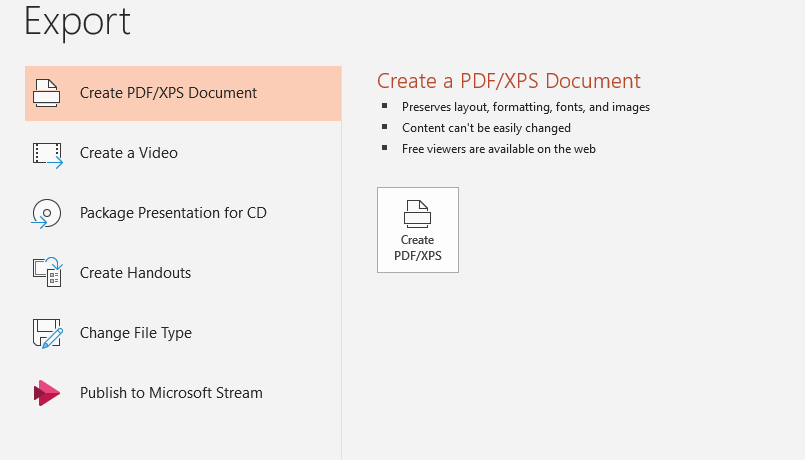
Select File > Export.
-
Click Create PDF/XPS Document, then click Create PDF/XPS.
-
In the Publish as PDF or XPS dialog box, choose a location to save the file to. If you want it to have a different name, enter it in the File name box.
-
Click Publish.